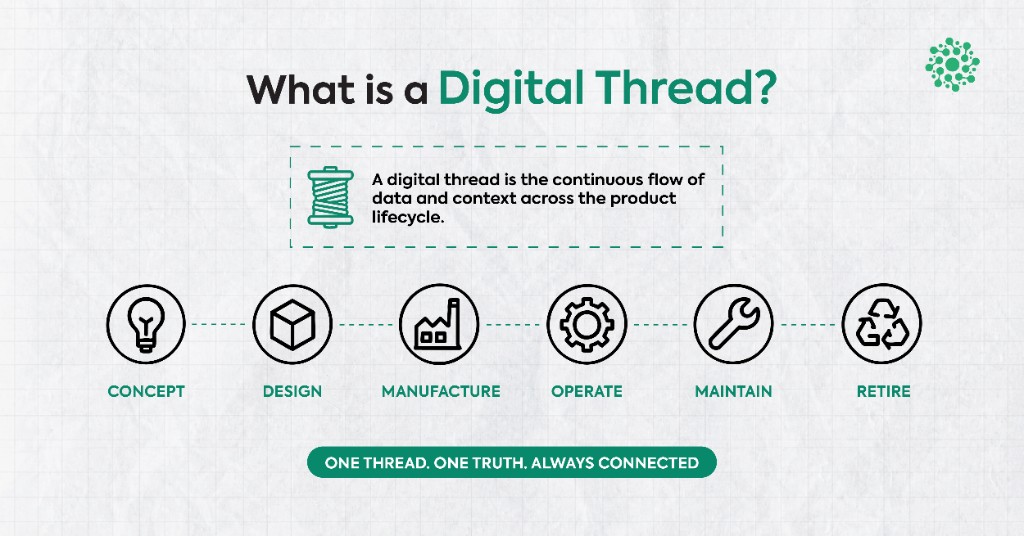
What Is a Digital Thread? Definition, Lifecycle, and Where It Breaks

Category:
How to Build a 3D Product Configurator: Stack and Build vs Buy
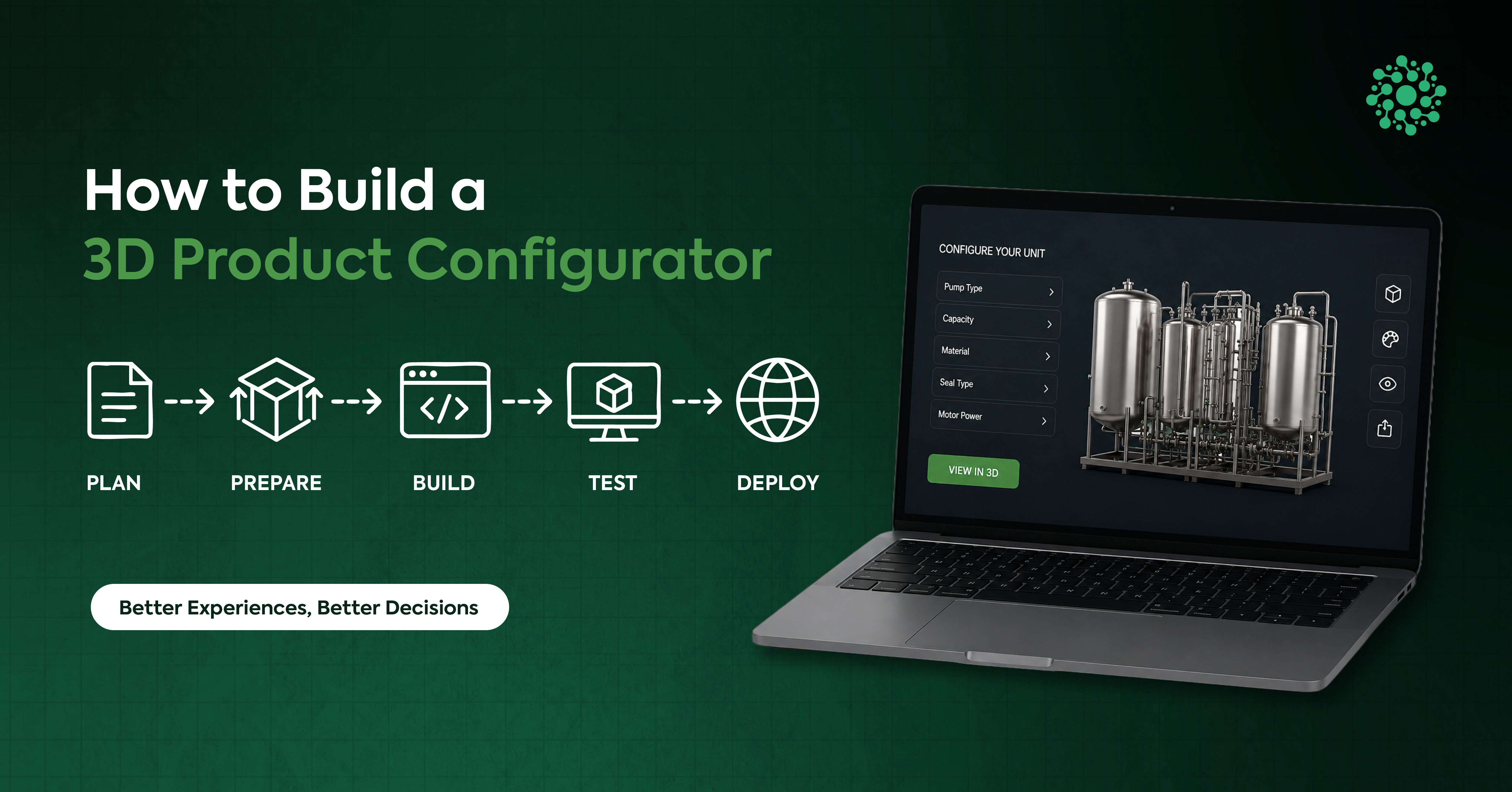
Ask three vendors to quote a 3D product configurator and you can get three completely different scopes for what sounds like the same request. The spread isn't vendor greed. It's four scoping questions nobody asked in the briefing call.
This guide covers those questions. Whether to build or buy. What the stack commits you to. How CAD data actually reaches a browser, and what decides the timeline. Three worked examples at the end show the framework producing three different answers, including one where the right answer is to buy something off the shelf.
Fair warning about the rest of the internet on this topic: almost every "how to build a configurator" guide is published by a company selling a configurator platform. Their build-versus-buy sections tend to resolve the same way.
Key Takeaways
- The build-vs-buy decision usually turns on where your geometry comes from, not on a price list. CAD-sourced models disqualify most SaaS platforms outright.
- Asset preparation is the critical path, not development. It runs 4–12 weeks for a mid-size catalog and scales with SKU count.
- Model production multiplies by SKU count. A 200-SKU catalog of asset work can dwarf the software it's attached to.
- The business case holds. In a 50/50 A/B test across 220,000 product-page views, shoppers who interacted with 3D or AR converted 35% higher (3D Cloud, 3D Commerce Index Q1 2026).
What does it actually take to build a 3D product configurator?
A 3D product configurator is an interactive tool that lets a buyer assemble a product variant and see it rendered in real time. Building one means assembling four things: web-ready 3D assets, a real-time renderer, a configuration state model with rules, and an integration into pricing or ordering. The assets are almost always the longest part. They're also the part nobody scopes properly.
In practice, those four components map to four different kinds of work and four different kinds of specialist. That's the root of the scoping spread. A brief that assumes your models are ready to drop in looks nothing like a brief that has to build them from CAD.
The commercial case for doing any of this is well established, so we'll spend one paragraph on it. In 2026, 3D Cloud ran a 50/50 A/B test across 220,000 product-detail-page views at a top furniture retailer. Shoppers who interacted with 3D spins or AR converted 35% higher than standard users (3D Cloud, 3D Commerce Index Q1 2026). That index covers 40 major retailers representing over $10 billion in annual 3D commerce sales. If you want the full argument for why configurators earn their keep, we've covered it in what a 3D product configurator is and why teams deploy one.
This guide assumes you're past that and into scoping.
Should you build or buy?
The build-versus-buy question is usually settled before anyone compares platforms, by a single fact: whether your 3D models come from CAD or from an artist. Get that wrong and you'll spend six weeks discovering your platform can't ingest your data.
The gate nobody puts first: SaaS configurator platforms are built around artist-authored catalog models — clean topology, sane polygon counts, UVs already unwrapped, materials already assigned. That's what their importers expect. Hand one a two-million-triangle B-Rep assembly straight out of Creo or SolidWorks, with no UVs and no PBR materials, and most of them simply cannot take it. The decision is made at that point, whatever the brochure says.
So run the gate first.
Gate 0 — where does your geometry come from?
- Artist-authored or already game-ready — both paths stay open. Continue to the criteria below.
- Native CAD (Creo, SolidWorks, STEP, Parasolid), large assemblies, or PMI that has to survive — buy is probably off the table. You're choosing between hybrid and custom.
Only then does the rest of the comparison matter.
When buy (SaaS) is the right answer
- Artist-made, game-ready geometry
- Catalog under about 100 SKUs
- Simple option lists, not interdependent engineering constraints
- Storefront integration only
- Days to weeks to first launch
- Horizon under two years, treated as a commodity utility
- Templated UX is acceptable
When hybrid is the right answer
- Mixed geometry: some artist-made, some from engineering
- Catalog in the 100–1,000 SKU range
- Conditional logic, not a full engineering constraint solver
- Storefront plus CRM, or a pricing engine you already own
- Two to six weeks to first launch on prepared assets
- Two-to-three-year horizon, supporting rather than defining the product
When build (custom) is the right answer
- Native CAD, large assemblies, or parametric geometry
- 1,000+ SKUs, or models generated rather than catalogued
- Interdependent engineering constraints
- ERP, CPQ, PLM, or manufacturing integration
- Two to twelve months, because the work is the pipeline as much as the viewer
- Three-year-plus horizon, and the configurator is a core differentiator
- You need total control of the UX
Most teams land in hybrid, and that's a legitimate destination rather than a failure to decide. A custom front end over prepared assets, wired into a pricing engine you already own, is the common shape for anyone with real products and a real catalog.
The tech stack, and what each choice commits you to
Most production configurators run Three.js over WebGL 2, deliver compressed glTF, and connect a configuration state layer to pricing. WebGL 2 reaches 95.73% of global users as of September 2026 (caniuse), which makes it the safe default renderer target for anything commercial.
Renderer. Three.js is the default and has the deepest ecosystem. Babylon.js is a credible alternative. Unity or Unreal WebGL builds make sense only if you already have those assets and that team — the trade is severe. Unity WebGL bundles run 5–25 MB against Three.js at roughly 500 kB–1 MB, and Unity's canvas-only output is invisible to search crawlers (framesixty, September 2026).
Graphics API. WebGL 2 is your baseline. WebGPU is progressive enhancement, reaching about 85.6% of users as of September 2026 (caniuse) — but it is not Baseline in the formal sense. MDN, last updated May 2026, lists WebGPU under limited availability because it still doesn't work in some widely-used browsers (MDN Web Docs). Firefox has it disabled by default; Safari support is partial and recent. Three.js ships a WebGPU renderer with automatic fallback, so you can opt in without stranding anyone.
Format. glTF 2.0 and its binary form GLB are the delivery formats. USDZ if you want AR on Apple devices. Draco handles geometry compression, KTX2 or Basis handles textures.
Frontend. React with react-three-fiber, if your host application is React. Worth being clear that this is a coupling decision about your app, not a rendering decision about your 3D.
Integration. Pricing or CPQ, plus whatever ERP and CRM need to know. Each integration adds scoping, build, and test time, and each one is routinely left out of the estimate.
Getting CAD into the browser: the asset pipeline
A CAD file cannot go straight into a configurator. It has to be tessellated, cleaned, decimated, unwrapped, textured, given levels of detail, and compressed — eight stages, of which two need a human being making judgement calls. This pipeline is the single most underestimated part of a configurator project.
Eight stages. Stages 5 and 6 are the human bottleneck, and they're where schedules slip.
- Export from CAD — STEP or Parasolid
- Tessellate — B-Rep into a triangle mesh
- Clean topology — strip hidden internal parts
- Decimate — typically from two million triangles to under 100,000
- UV unwrap — CAD exports don't include this; a human has to do it
- PBR materials — also authored by hand
- Generate LODs — two to three levels of detail
- Compress — Draco and KTX2, then export as GLB
Two numbers make the compression worth the trouble. Draco is a mesh compression format for glTF, and it alone typically removes 60–90% of the mesh buffer (Cesium). Combine it with KTX2 or WebP texture recompression and most product models come down 70–90% overall, with no visible quality difference on a phone or laptop screen. The Khronos Group designed KTX 2.0 supercompressed textures specifically to complement Draco for exactly this (Khronos Group).
Stage 1 deserves a note. Most teams export STEP, which is the sensible neutral choice; if you're deciding between application protocols, we've written up what a STEP file is and which AP to export.
From our own build work: Optellix has processed 200+ CAD assemblies into browser-ready configurators and viewers, and we target sub-2.5-second load with full interactivity on modern devices. A typical configurator lands somewhere between 15,000 and 30,000 lines of Three.js, WebGL, and UI code (Optellix Web3D Services). The code is the predictable part. The 200+ assemblies are where the estimates get interesting.
How long does it take?
Timelines run from hours for a storefront plugin to 2–6 weeks on a platform with assets already prepared. A custom Three.js build takes 2–4 months, and 6–12 months or more once ERP or PLM integration enters scope (framesixty, September 2026).
Those bands are about development. Here's the part that actually decides your date.
Asset preparation is the work of turning source geometry into browser-ready models, and it is the critical path. For a mid-size catalog it runs 4–12 weeks, and it scales with SKU count rather than with feature count. Add three configuration options and development grows a little. Add three hundred SKUs and the pipeline grows enormously while development barely moves. Teams estimate the software and get ambushed by the models, every time.
Two practical consequences follow. First, start asset prep before you finish specifying features — the two run in parallel and only one of them is on the critical path. Second, if a vendor quotes you a timeline without asking how many SKUs you have and what state your CAD is in, the timeline is decorative.
For reference, Optellix ships production-grade 3D modules on a 4–6 week MVP cadence. That cadence holds because pipeline work starts on day one, not after the specification is signed.
Three worked examples
Three teams, three correct answers, one framework. Each runs the same shape: situation, Gate 0, decision, stack, timeline, and what would have gone wrong the other way.
1. The DTC furniture brand → buy
Forty SKUs, models already built by a 3D artist for photography, Shopify storefront, project owned by marketing. Gate 0 says artist-authored, so both paths are open. Catalog is small, rules are simple option lists, integration stops at the storefront, and the configurator is a conversion utility rather than a differentiator.
Decision: buy. A SaaS platform gets this live in weeks, with model production the only real body of work. Building here would spend months arriving at a slightly nicer version of something rentable, and would hand marketing a codebase they have no way to maintain.
We build configurators for a living, and this is still the wrong project to build.
2. The CPQ SaaS platform → hybrid
A configurable industrial product with conditional rules, live pricing, and a requirement to embed inside a multi-tenant application. Some models come from an artist, some from engineering. Gate 0 says mixed.
Decision: hybrid. Custom Three.js front end over professionally prepared assets, wired into the pricing engine that already exists. Two to four months, with asset prep running alongside. The reason it isn't buy: no SaaS platform will embed cleanly into someone else's multi-tenant product with someone else's pricing logic. The reason it isn't full custom: the pricing engine is already built and rebuilding it would be vanity.
3. The engineering-led build: Enact Systems → build
Enact Systems runs a commercial solar project design and finance platform. They needed browser-based solar design: real-time rooftop modelling, panel placement, and shadow simulation accurate enough to make design decisions against. Gate 0 doesn't even apply in the usual way — the geometry is generated from Digital Surface Model survey data, not pulled from a catalog.
Decision: build, because nothing on the market does this. We developed custom plane-fitting algorithms to detect flat roofs from noisy DSM data, plus a virtual sun-movement engine for astronomical shadow calculation. All of it renders in Three.js and WebGL, with no installation required.
"Optellix's work added tremendous visual clarity to our solar design engine. Their simulation algorithms helped us replicate real-world solar layouts with high accuracy." — VP of Product, Enact Systems (case study)
The buy path here isn't expensive or slow. It doesn't exist.
What goes wrong
Configurator projects fail on assets, integrations, and scope. They rarely fail on rendering, which is the part everyone worries about during vendor selection.
In our own delivery work the recurring failures are consistent, roughly in this order of frequency:
- Under-scoping model production. The per-SKU multiplier is the number one estimate killer. Count your SKUs before you sign anything.
- Discovering at week six that the platform can't ingest CAD. Gate 0 exists to catch this in week zero.
- Treating integrations as free. Every ERP, CRM, and pricing connection needs scoping, building, and testing.
- No LOD strategy for large assemblies. Works beautifully on the demo part, dies on the real product.
- No fallback for the ~4% without WebGL 2. Small, but not zero, and it's always someone important.
Most of these are scoping failures rather than engineering failures, which is why they're expensive: they surface after the work is committed. The same pattern shows up across engineering software projects generally — we've written about why most CAD automation projects fail and the causes rhyme.
Frequently Asked Questions
How long does it take to build a 3D configurator?
Hours to days for a storefront plugin, 2–6 weeks on a platform with assets ready, 2–4 months for a custom build, and 6–12+ months with ERP integration. Asset preparation is the critical path at 4–12 weeks for a mid-size catalog, and it scales with SKU count.
Should I build or buy a 3D product configurator?
Answer the geometry question first. CAD-sourced models and large assemblies rule out most SaaS platforms regardless of budget. If your models are artist-authored, your catalog is under 100 SKUs, and your horizon is under two years, buy. Past two or three years, owning the stack usually wins if you will maintain it.
Can I use my CAD files directly in a web configurator?
No. CAD geometry needs eight preparation stages: export, tessellation, topology cleanup, decimation, UV unwrapping, PBR material authoring, LOD generation, and compression. Draco plus KTX2 then compresses most models 70–90% with no visible quality loss (Cesium; Khronos Group).
Do I need WebGPU for a product configurator?
No. WebGL 2 reaches 95.73% of users as of September 2026 (caniuse) and handles configurators comfortably. WebGPU sits near 85.6% and is not Baseline — MDN lists it as limited availability because it still doesn't work in some widely-used browsers. Treat it as progressive enhancement.
Scoping it yourself
- Run Gate 0 first. Where your geometry comes from decides more than a platform comparison does.
- Count your SKUs and multiply. Model production is often the largest body of work and the one nobody quotes.
- Assume asset prep is your critical path. Start it before the specification is finished.
- Default to Three.js on WebGL 2. Treat WebGPU as a bonus, not a plan.
- Check the horizon. Under two years, rent. Past three, own.
If your models come out of Creo or SolidWorks, the build-versus-buy question is mostly already answered, and the real work is the pipeline rather than the configurator. Bring us an assembly and we'll scope what it takes to get it into a browser — that's what our Web3D team does.
.webp)
Never miss
Oops! Something went wrong while submitting the form.
Looking for Something Similar?
We have built everything from Creo plugins to AI-based VR walkthroughs. If your challenge feels like one of these — or somewhere in between — we would love to hear about it.
Feel free to share your details!
Oops! Something went wrong while submitting the form.