What Is a Digital Thread? Definition, Lifecycle, and Where It Breaks

Category:
What Happens to 3D Models After They Leave Engineering?

Non-Technical Teams Don’t Struggle With 3D
They Struggle With Screenshots
3D has become foundational to how modern products are designed, built, and delivered.
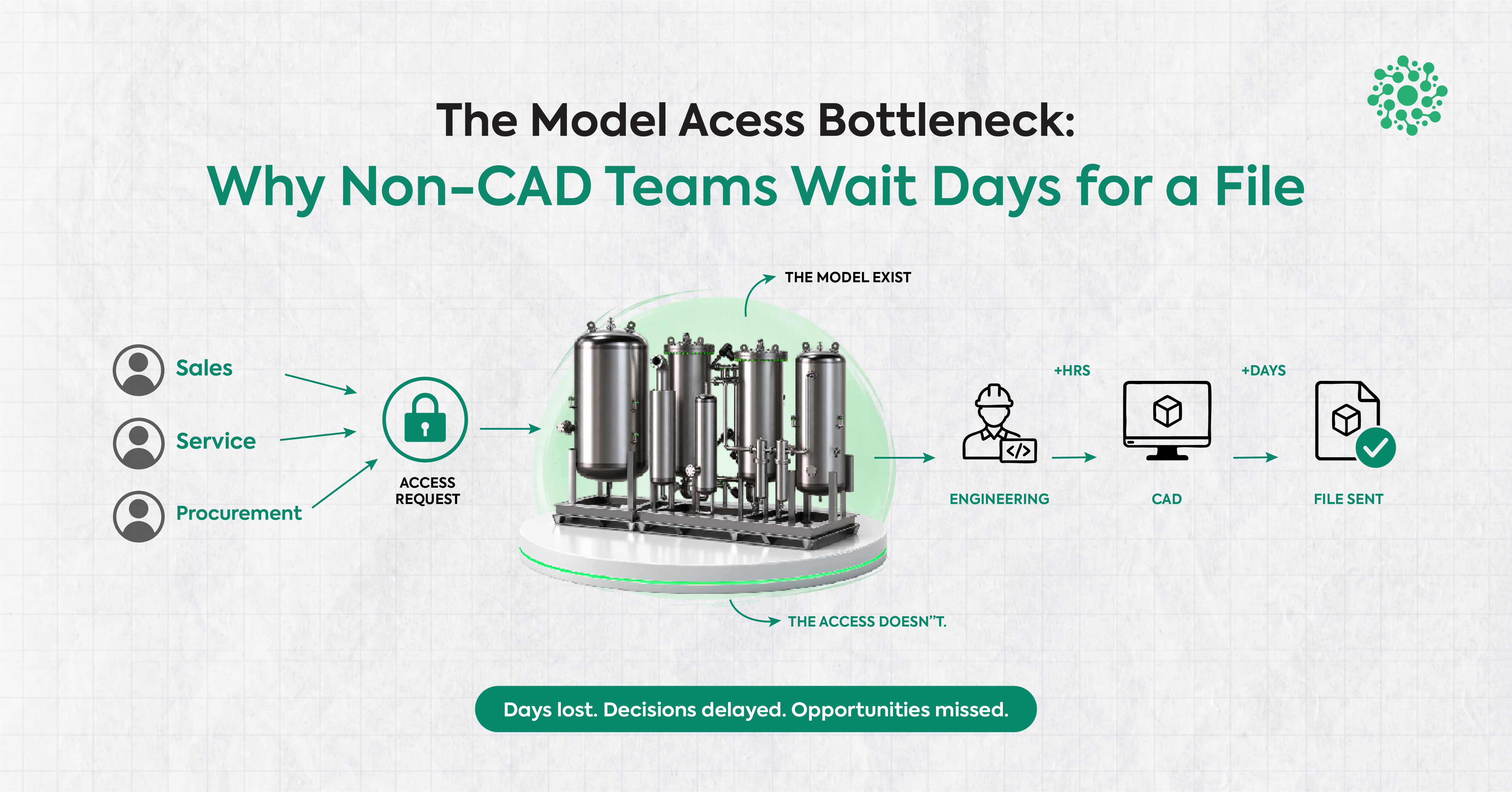
Yet despite its importance, meaningful interaction with 3Dmodels often remains confined to engineering teams. Once a design moves downstream to product, operations, quality, sales, or leadership the model itself is frequently replaced by screenshots, slides, and explanations.
It’s because the way 3D is shared changes as it moves across the organization.
At Optellix, we have spent time studying this transition and the friction that quietly appears along the way.
When 3D Leaves Engineering, Context Often Stays Behind
In engineering environments, 3D models are rich, interactive, and precise.
They carry geometry, relationships, and intent in a single spatial representation.
But once those models move beyond their original tools, what downstream teams usually receive is something very different:
- Static images captured from specific angles
- Slides marked up with arrows and notes
- Long explanations describing spatial relationships
- Follow-up screenshots to clarify what the first image missed
Each step strips away a bit of context.
Not intentionally, but inevitably.
Screenshots flatten space.
Slides freeze perspective.
Explanations rely on interpretation.
By the time feedback returns to engineering, it often reflects how the model was described, not how it actually exists.
This is where misalignment begins not from lack of expertise, but from loss of clarity.
The Problem Isn’t 3D Literacy, It’s the Medium
It’s tempting to assume that non-technical teams struggle with 3D because they aren’t familiar with CAD tools or engineering workflows.
In practice, that’s rarely the real issue.
Most downstream teams don’t need to:
- Author geometry
- Modify assemblies
- Manage parametric history
What they need is far simpler and far more universal:
- The ability to see the same model
- To reference specific areas
- To understand spatial relationships
- To communicate feedback clearly
Screenshots and slides weren’t designed for this kind of interaction. They are representations of 3D, not 3D itself.
When the medium can’t carry spatial context, even well-intentioned conversations become harder than they need to be.
Why Screenshots Become the Default (and Why They Fall Short)
Screenshots persist because they are convenient.
They are easy to capture, easy to share, and easy to embed in familiar tools. For quick updates or high-level overviews, they can be useful.
But as a primary way to collaborate around 3D, they introduce limitations:
- Perspective is fixed
Reviewers can’t rotate, zoom, or explore areas that matter to them. - Context is selective
What’s visible depends entirely on what someone chose to capture. - Feedback becomes abstract
Comments reference images instead of geometry. - Clarification loops multiply
More screenshots are requested to answer follow-up questions.
Over time, the conversation shifts from understanding the design to interpreting the explanation of the design.
A Different Way to Think About Downstream 3D Access
At Optellix, we don’t see this as a tooling failure. We see it as a handoff problem.
3D models are created in environments optimized for depth, precision, and control. Downstream collaboration, however, requires accessibility, clarity, and shared reference.
Bridging that gap doesn’t require turning everyone into a CAD user. It requires giving teams a better way to stay connected to the model itself.
That’s the lens behind how we think about accessible 3D.
What Changes When Teams Can Reference the Model Directly
When downstream teams can engage with the actual 3D model nota flattened representation something subtle but important shifts.
Instead of:
“I think this area might be an issue.”
Conversations become:
“This section here needs attention.”
Instead of:
“Can you explain what this arrow means?”
Teams can explore the geometry themselves. Being able to reference specific parts of a model using simple visual cues, annotations, or in-context notes keeps discussions grounded in the same spatial reality. Clarity improves not because explanations get longer, but because fewer explanations are needed.
Reducing Translation, Preserving Intent
One of the hidden costs of screenshot-driven workflows is translation.
Engineers translate models into images.
Product teams translate images into requirements.
Operations translate requirements back into questions. Each translation introduces interpretation.
When teams can engage directly with the model, that translation burden decreases. Feedback travels with context intact. Intent is preserved more reliably as designs move across teams.
This doesn’t replace existing engineering tools or workflows. It complements them by supporting the moments after design work is complete.
Accessibility Is About Participation, Not Simplification
Making 3D accessible across teams is often misunderstood as simplifying models or reducing detail.
In reality, it’s the opposite. Accessibility is about participation. It’s about allowing more people to:
- See what’s being discussed
- Understand why decisions are made
- Contribute feedback without guesswork
The model remains as detailed as ever. What changes is who can engage with it and how easily.
Where Xviewr Fits Into This Picture
Xviewr was shaped by these observations.
It’s designed as a browser-based environment where teams can interact with 3D models without stepping into authoring workflows or specialized setups. The focus isn’t on creation. It’s on clarity.
By allowing teams to:
- View models directly
- Navigate them intuitively
- Reference specific areas in context
Xviewr supports downstream collaboration while staying aligned with existing engineering systems.
It doesn’t ask teams to change how designs are created. It helps them stay connected to those designs as they move forward.
Optellix: Everything 3D, Across the Organization
“Optellix – Everything 3D” reflects a broader belief.
3D delivers its full value only when it can move with context intact from creation to discussion to decision.
Across web-based 3D applications, CAD customization, immersive experiences, and visualization platforms, our work consistently focuses on one goal:
Helping organizations make 3D usable beyond specialists. Xviewr is one step in that direction.
Looking Ahead
As products grow more complex and teams more distributed, the way organizations collaborate around 3D will continue to evolve.
The challenge isn’t whether teams can understand 3D. It’s whether the tools and mediums we use allow that understanding to travel.
Reducing reliance on screenshots isn’t about rejecting familiar workflows. It’s about choosing mediums that carry context better so clarity doesn’t get lost along the way.
Explore Further
If your teams work with 3D models and you are exploring ways to make collaboration clearer across roles without disrupting existing systems you can explore Xviewr here:
👉 Access the Xviewr demo:
https://xviewr.optellix.com/login
.webp)
Never miss
Oops! Something went wrong while submitting the form.
Looking for Something Similar?
We have built everything from Creo plugins to AI-based VR walkthroughs. If your challenge feels like one of these — or somewhere in between — we would love to hear about it.
Feel free to share your details!
Oops! Something went wrong while submitting the form.