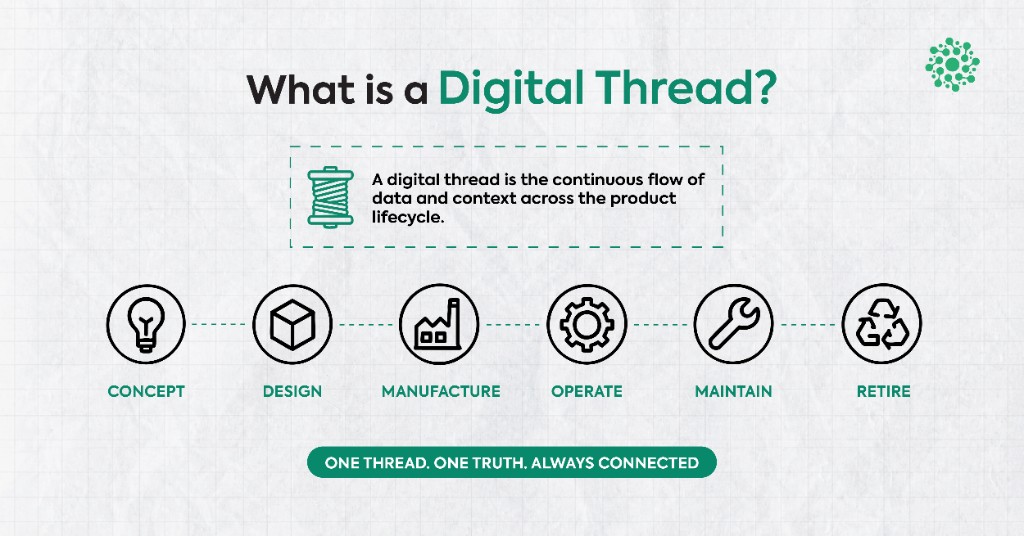
What Is a Digital Thread? Definition, Lifecycle, and Where It Breaks

Category:
Making 3D Accessible Across the Organization
.webp)
Why the Future of 3D Isn’t More Tools, It’s Wider Participation
For decades, 3D has been central to how products are designed, engineered, and built.
Yet in most organizations, meaningful interaction with 3Dremains limited to a small group of specialists. CAD environments, PLM systems, and simulation tools are powerful, but they are also purpose-built, specialized, and intentionally deep. They are designed for experts who work in them every day.
As products become more complex and teams more cross-functional, a new question is emerging:
How does 3D become accessible to everyone involved without changing how engineering already works?
At Optellix, this question sits at the center of how we think about 3D.
3D Already Moves Across Teams, Access Often Doesn’t
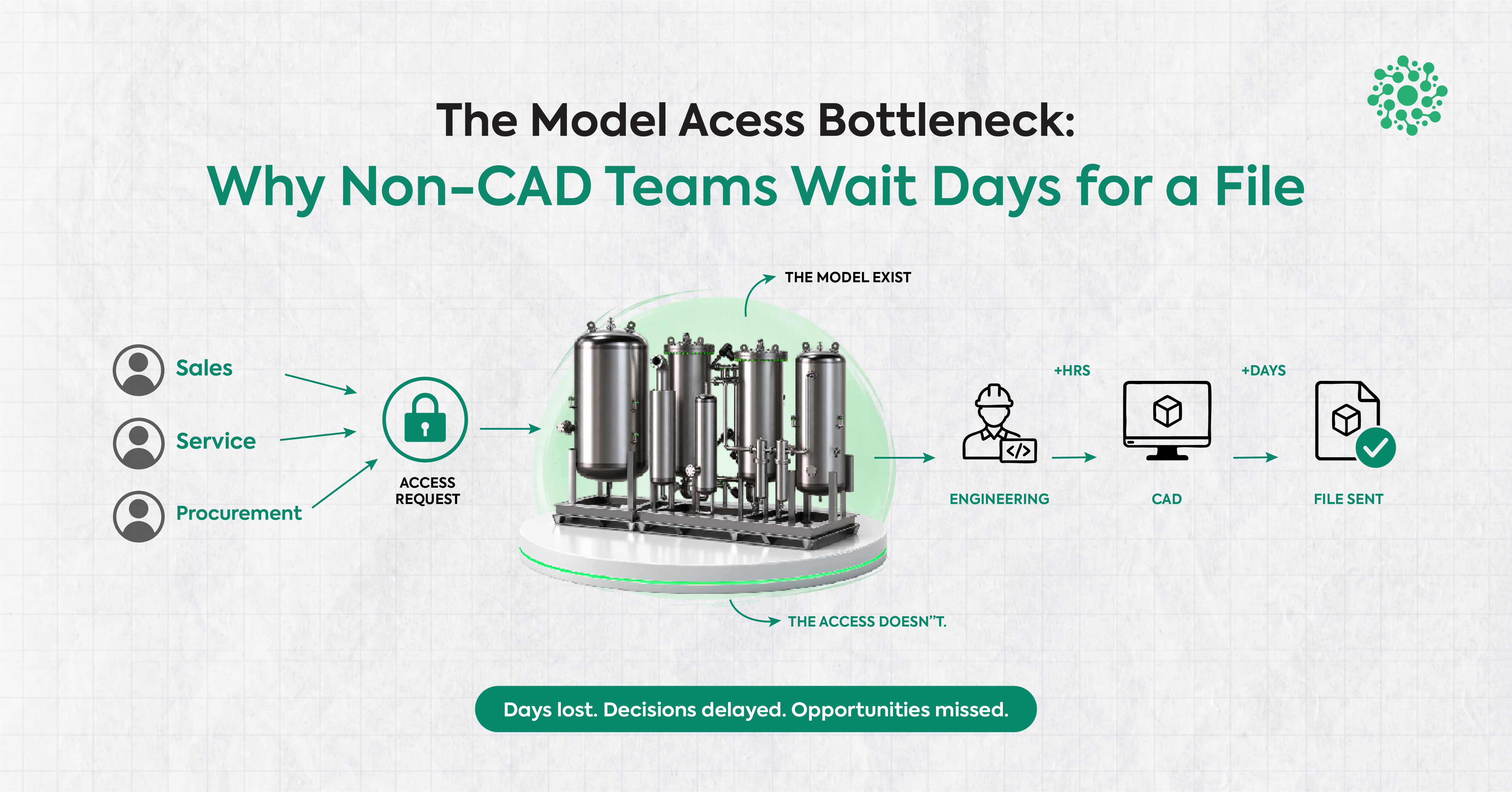
In a typical product lifecycle, 3D models rarely stay within engineering.
They move downstream to:
- Product managers validating design intent
- Manufacturing and operations teams reviewing feasibility
- Quality teams assessing critical features
- Sales and pre-sales teams explaining complex products
- Leadership teams reviewing decisions at a higher level
When this happens, teams often rely on screenshots, PDFs, screen recordings, or long explanations to communicate what is already present in the model. Not because existing tools are inadequate
but because they were never designed for broad, cross-functional access.
The result is subtle friction:
- Context gets lost between teams
- Feedback becomes abstract instead of spatial
- Engineers spend time translating models instead of reviewing them
None of this is a failure of CAD or PLM systems. It’s simply a gap between creation tools and collaboration needs.
Accessibility Does Not Mean Simplification
A common misconception is that making 3D accessible means “dumbing it down.” We see it differently. Accessibility is not about removing depth or capability. It’s about meeting people where they are with tools that match how they engage with information. Most downstream teams don’t need to modify geometry, manage assemblies, or author designs.
They need to:
- View models clearly
- Understand spatial relationships
- Reference specific areas
- Discuss designs with shared context
Making 3D accessible is about participation, not authorship.
A Complementary Layer, Not a Replacement
At Optellix, we are clear about one thing:
Core CAD and PLM systems remain the backbone of engineering and product development. They are essential. They are irreplaceable. What has been missing, historically, is a lightweight layer that allows 3D to travel across the organization without friction — a way for non-specialist teams to engage with models without needing to enter specialized environments. This is where Xviewr fits.
Xviewr: Enabling Broader 3D Participation
Xviewr is a browser-based 3D environment designed to make neutral CAD models viewable and discussable across teams.
It focuses on:
- Unified access to common neutral CAD formats
- Familiar, lightweight interactions
- Contextual engagement with 3D content
Because it runs in the browser, Xviewr lowers the barrier for participation:
- No specialized hardware
- No complex setup
- Minimal onboarding
This allows downstream teams to interact with 3D in a way that feels natural not intimidating. One example is the ability to add labels and comments directly on the model, helping teams anchor discussions to specific areas instead of relying on screenshots or descriptions. The intent is not to accelerate engineering. It’s to reduce friction once 3D moves beyond engineering.
Keeping Models and Supporting Information Together
In practice, 3D reviews rarely involve the model alone.
They are often accompanied by:
- Specifications and reference documents
- Notes, instructions, or review comments
- Supporting files shared across teams
When these live in separate tools, folders, or chat threads, context fragments quickly. People end up switching between screenshots, documents, and messages to piece together what the model already contains. One of the ideas guiding Xviewr’s design is the ability to bring models and their supporting information together in a single place.
This allows everyone involved in a review to:
- Refer to the same 3D model
- Access related documents and files alongside it
- Maintain continuity as discussions move across teams
Instead of scattering context across multiple tools, teams can return to a shared reference point — where the model and the information explaining it remain connected. This is not about managing documents differently. It’s about preserving understanding as designs move beyond engineering.
Making 3D a Shared Language
When more teams can engage directly with 3D, something important changes.
Discussions become-
- More concrete
- More aligned
- Less interpretive
Instead of translating designs into static artifacts, teams can reference the same model, from different perspectives, with shared context. This doesn’t replace existing workflows, It strengthens them.
Optellix: Everything 3D
“Optellix – Everything 3D” is not about covering every tool or every use case.
It reflects a broader vision:
- Supporting how 3D is created
- Enabling how 3D is shared
- Improving how 3D is understood
From web-based 3D applications and CAD customization to AR/VR experiences and visualization platforms, our work has consistently focused on one idea:
3D delivers its full value only when it’s accessible beyond specialists.
Xviewr is one step in that direction.
Exploring What Accessible 3D Can Look Like
Xviewr is evolving, and we’re continuing to learn where it adds the most value across organizations. If your teams work with 3D models and you’re exploring ways to make them more accessible across roles, you’re welcome to explore the platform.
👉 Access the Optellix Xviewr demo here:
https://xviewr.optellix.com/login
The future of 3D isn’t about replacing what already works. It’s about extending access, reducing friction, and enabling more people to participate meaningfully in decisions shaped by 3D. That’s the direction we are building towards at Optellix.
.webp)
Never miss
Oops! Something went wrong while submitting the form.
Looking for Something Similar?
We have built everything from Creo plugins to AI-based VR walkthroughs. If your challenge feels like one of these — or somewhere in between — we would love to hear about it.
Feel free to share your details!
Oops! Something went wrong while submitting the form.