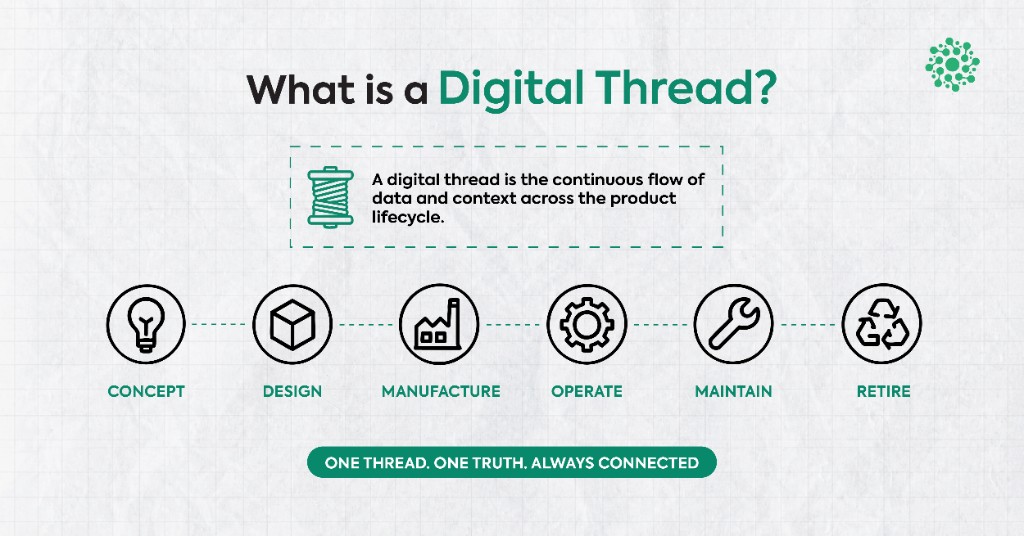
What Is a Digital Thread? Definition, Lifecycle, and Where It Breaks

Category:
Web 3D
What Makes a Web3D Viewer “Enterprise-Grade”?

Why Read This
If you’re evaluating a 3D viewer for your SaaS, CPQ tool, or engineering dashboard — this post is written for you. Too often, teams get sold a demo-friendly viewer that can’t scale to real-world engineering data, user interactions, or security standards. We’ll break down what actually makes a 3D viewer enterprise-grade — from CAD support to performance benchmarks, extensibility, and stack integration. Whether you're a PM trying to scope requirements, a tech lead building your stack, or a founder aligning engineering with product, this will help you choose (or build) a viewer that supports your business, not just your prototype.
The Viewer vs. the Stack
Most 3D viewers start with a library (like Three.js). But in enterprise environments, the viewer is just one part of a much larger system. Here’s what that system typically looks like — and how your viewer must align:
1 CAD Conversion Pipelines
Your viewer is only as good as the data it receives. Can it handle formats like Revit, SolidWorks, or IFC? Can it process assemblies and preserve metadata? A robust backend CAD conversion flow is critical.
2 User Access & Permissions
Enterprise viewers often need to respect user roles, access levels, or licensing tiers — all without leaking data or exposing unauthorized model views.
3 Metadata Rendering
It’s not just about geometry. Can the viewer visualize and interact with metadata like part numbers, simulation values, or spec tolerances? That’s often what matters most.
4 API Orchestration
Your viewer must be programmable — not just viewable. Can you trigger updates, sync with CPQ tools, send interactions back to the server, or integrate with PLM/ERP workflows?
5 Multi-Device & Cross-Browser Compatibility
It should perform consistently across browsers, operating systems, and devices — with graceful degradation for less capable hardware.
6 Load Performance at Scale
How does it handle large assemblies, high-poly meshes, or dozens of concurrent users? Enterprise usage demands consistent speed — not just low-poly demos.
In short: your viewer needs to sit at the center of your digital stack — and integrate cleanly into it.
What “Enterprise-Grade” Really Means
Here’s what we look for (and build) in enterprise-ready 3D tools:
1 Fast Load Speed (Under 2.5s)
End users won’t wait. Our baseline target: 200+ MB of CAD data, optimized and loaded under 2.5 seconds on modern devices.
2 Scalable Architecture
Whether you're showing 1 object or 100, the viewer shouldn’t choke. GPU memory, scene hierarchy, and progressive loading all matter.
3 CAD Compatibility
Support for formats like SolidWorks, Revit, IFC, Parasolid — not just glTF. Plus: options to convert assemblies without losing metadata.
4 Extensibility
Annotations, simulations, redlining, multi-view toggles, UI overlays — all should be scriptable via APIs.
5 Secure Deployment
Self-hosted, embeddable, SSO-ready — viewers shouldn’t create new attack surfaces.
6 Multi-Device UX
Should work across laptops, tablets, and optionally phones — with fallback logic if rendering power is low.
Common Viewer Myths
1 “We can just embed a generic viewer.”
That works… until you need to control layer visibility, toggle states, or integrate with your PLM/ERP.
2 “Performance isn’t a deal-breaker.”
Enterprise users notice. If it lags or drops fidelity — adoption suffers.
3 “We’ll scale the pipeline later.”
Viewer performance is front-loaded. Build for performance early — retrofitting is hard.
Key Considerations Before You Build or Buy
1 Supported Formats & Data Fidelity
What CAD formats (e.g., SolidWorks, IFC, Revit) does your system generate? Do you need to retain assembly structure, metadata, and hierarchy? Choose a viewer that doesn’t oversimplify your models.
2 Feature Requirements
Do your users need to annotate, simulate, toggle layers, or interact with parts? Define these use cases early — not all viewers can handle real-time logic, redlining, or snapping.
3 Hosting & Deployment Strategy
Will your viewer be self-hosted, embedded into a SaaS app, or served as a standalone tool? This affects performance, compliance, and how authentication (e.g. SSO) works.
4 Integration with Enterprise Stack
Does it need to connect with PLM, CPQ, or ERP systems? Can it read access permissions or push updates? API readiness and data bridges matter.
5 End User Environment
Are your users on desktops, tablets, or mobile? Do they have high-speed internet? Optimize for their constraints — not just your dev environment.
Final Takeaways
- Enterprise-ready viewers are more than just visual tools — they’re extensions of your platform’s core functionality
- Native CAD support is non-negotiable if your audience is engineering-first
- Speed, security, and extensibility directly affect user adoption and long-term scalability
- The right viewer doesn’t just display models — it simplifies decision-making, reduces friction, and delivers real value inside your stack
.webp)
Never miss
Oops! Something went wrong while submitting the form.
Looking for Something Similar?
We have built everything from Creo plugins to AI-based VR walkthroughs. If your challenge feels like one of these — or somewhere in between — we would love to hear about it.
Feel free to share your details!
Oops! Something went wrong while submitting the form.